Best Budget Mouse for CS2
You don't need a $160 mouse to compete in CS2. The sensor gap between a $40 mouse and a flagship is near zero - here's what the pro dataset shows you're actually paying for, and the budget picks worth buying.
The most-used mouse in CS2 pro play costs around $160. The sensor inside it is a current PixArt optical - the same sensor class you get in a $40 mouse. That is the whole budget story in one line: the part that decides whether your crosshair lands where you aim is no longer the expensive part.
The table below is computed live from cs2pedia’s dataset of pro profiles, and it is here as a contrast, not a shopping list. It shows what the top of the field runs - and reading it as a budget buyer, the useful takeaway is everything on it you are not paying for when you spend $40 instead of $160.
What the Price Gap Actually Buys
A flagship mouse and a budget mouse are not separated by sensor quality anymore. Every current PixArt optical sensor tracks perfectly for CS2 - there is no tracking error you will ever feel at 400–800 DPI, which is the range pros run. So the price gap is not about whether the mouse aims true. It is about three things, in order:
- Wireless. A true low-latency wireless link is the single biggest cost adder. Budget wireless exists and is genuinely good now, but the flagship wireless implementations (and the batteries and dongles behind them) are where a chunk of the money goes.
- Weight. Flagships hit 54–60 grams with a solid shell. Budget mice are heavier or use a honeycomb cutout to get light. A few extra grams is a preference question, not a performance wall.
- Polling rate. Polling rate is how many times per second the mouse reports its position; 1000 Hz is the long-standing baseline. Flagships now push 8000 Hz. The real-world benefit is marginal - nice to have, not a reason to spend.
None of those three is the sensor. That is the point. A budget mouse gives up some combination of wireless quality, a few grams, and the 8 kHz ceiling - and keeps the part that decides your aim. For most players the honest verdict is: spend $40, put the rest toward a monitor or a mousepad, where the money buys more.
How This Differs From Our Main Mouse Guide
If your budget is open and you want the gear the field actually runs - the wireless superlights, the 8 kHz flagships, the shapes the top pros are on - that is a different article. The best mouse for CS2 guide ranks the premium field by live pro usage. This page is for the hard budget, roughly $30–$80, where you optimize value rather than chase the leaderboard.
The Best Budget Mice for CS2 (Our Picks)
These are ordered roughly by how much mouse you get per dollar, not by pro count - budget mice barely appear in the pro field, and that is expected, because pros get flagships free from sponsors. Every pick below is a current, purchasable model that shares its sensor class and a usable shape with gear the pro field runs. We link each one directly where a clean retail page resolves.
Razer DeathAdder V3 HyperSpeed
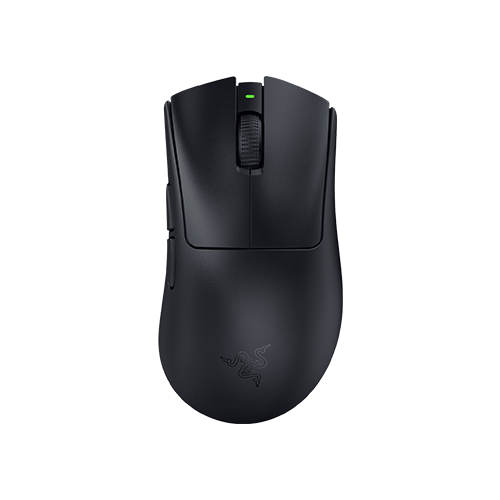
Razer DeathAdder V3 HyperSpeed
The budget wireless pick with actual pro footprint - rare for a sub-$50 mouse. ~55 g, current PixArt sensor, real low-latency wireless link.
The budget wireless pick, and the one with actual pro footprint. It is the rare sub-$50-ish mouse that shows up in cs2pedia’s pro dataset at all - a handful of pros run it, which is notable for a budget model in a field that gets flagships for free. At roughly 55 grams with a current PixArt sensor and a real low-latency wireless link, it gives you the wireless-and-light experience that used to cost three times as much.
Logitech G305
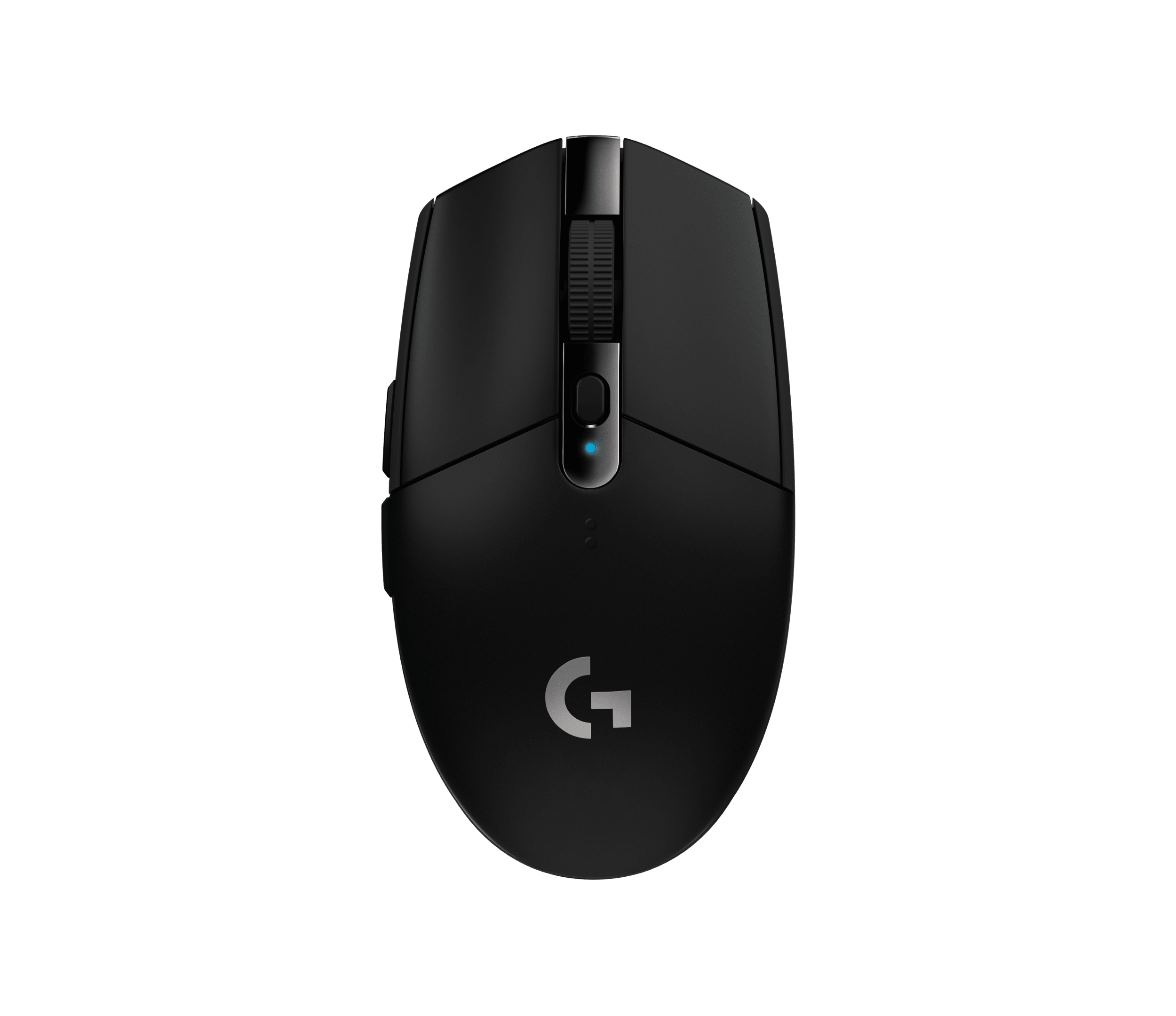
Logitech G305
The value benchmark this tier is measured against. Logitech HERO sensor in a medium symmetrical shell - the most mouse you can buy for the money at around $30.
The wired-budget standard, and the value benchmark this tier is measured against. It runs Logitech’s HERO sensor - the same sensor lineage as far pricier Logitech mice - in a medium symmetrical shell, and it lands around $30. Nothing in this tier out-aims it.
HyperX Pulsefire Haste
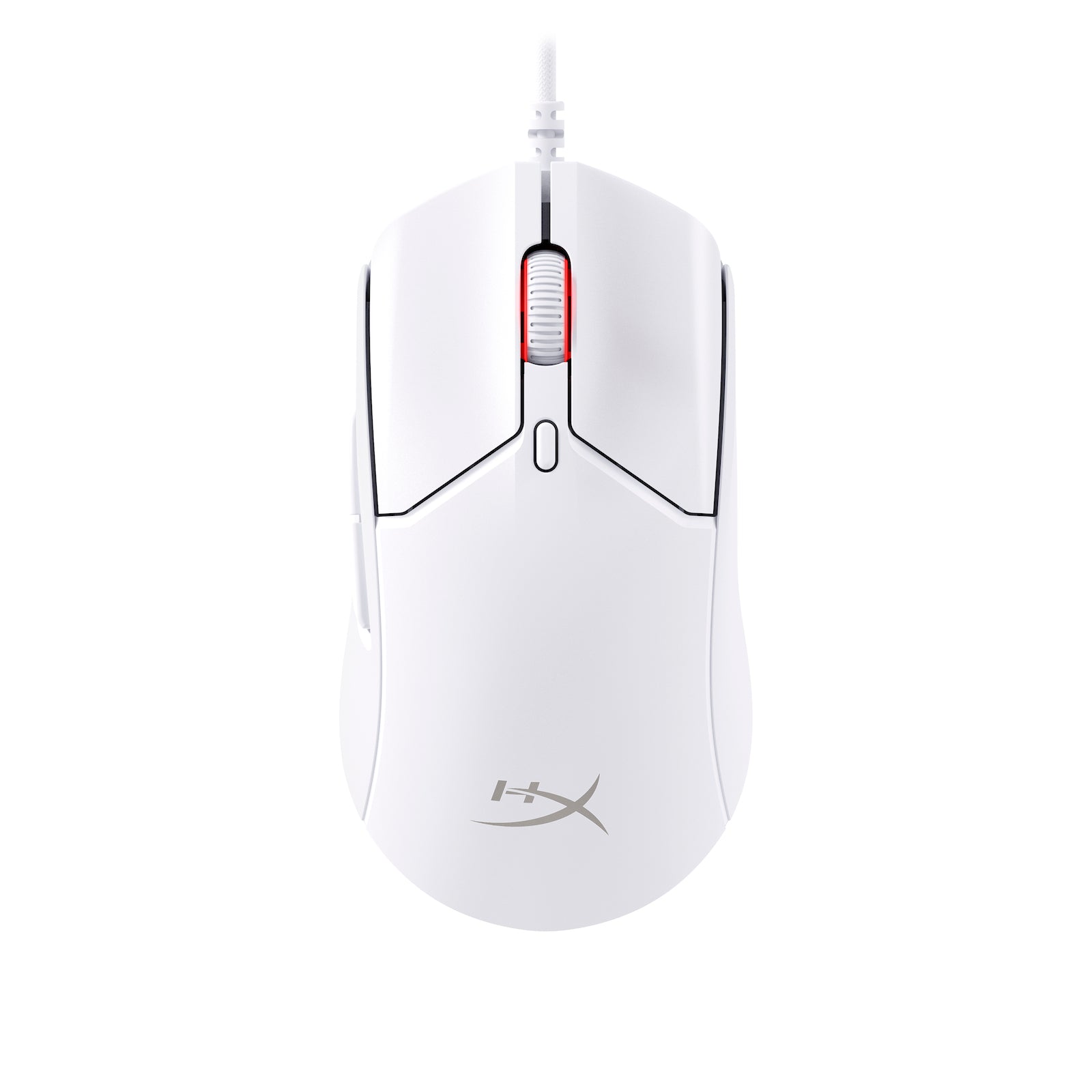
HyperX Pulsefire Haste
Honeycomb shell drops it into the low-60-gram range wired. Flat, light, ambidextrous shape - the lightest pick here at the lowest weight-per-dollar around $35–$40.
The pick for fingertip and claw grippers who want light without spending. It uses a honeycomb shell to drop into the low-60-gram range wired, with a current optical sensor, and sits around $35–$40. The honeycomb cutout is the tradeoff - it is how a budget mouse gets this light, and some players don’t like the open shell.
SteelSeries Aerox 3 Wireless
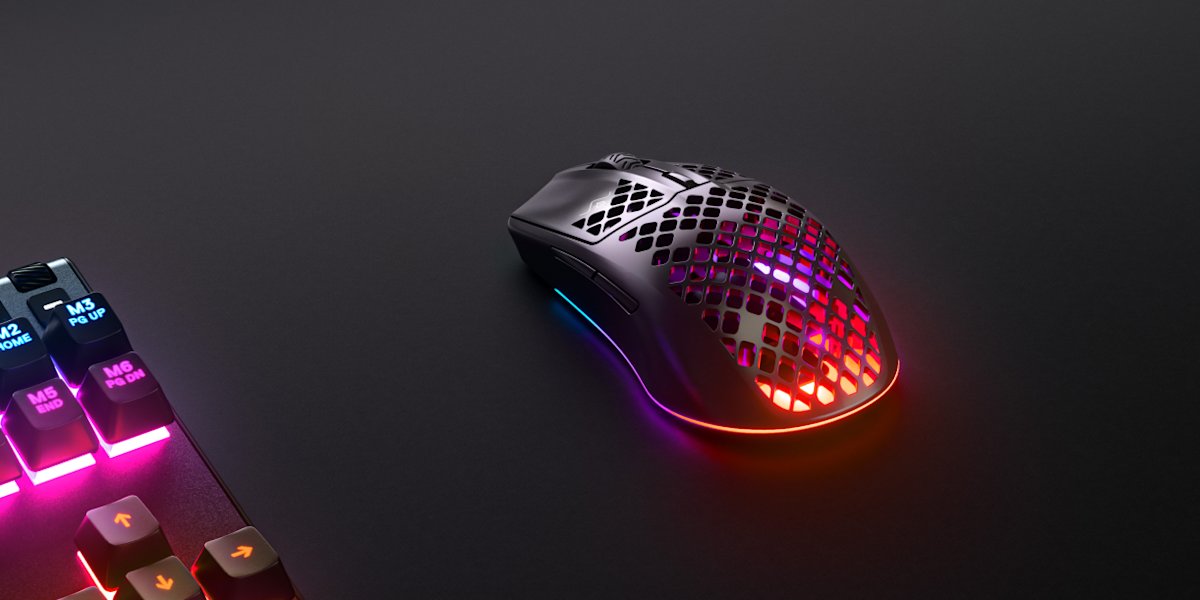
SteelSeries Aerox 3 Wireless
Borderline-budget wireless - true wireless plus IP54 water-and-dust resistance in a honeycomb shell in the low-60-gram range. The clean second wireless route if the DeathAdder shape doesn't fit.
The borderline-budget wireless option, for the buyer who can stretch a little past the floor. At around $60 it is the priciest pick here, but it gets you true wireless plus an IP54 water-and-dust resistance rating nothing else here offers, in a honeycomb shell in the low-60-gram range.
Razer Viper V2 Pro
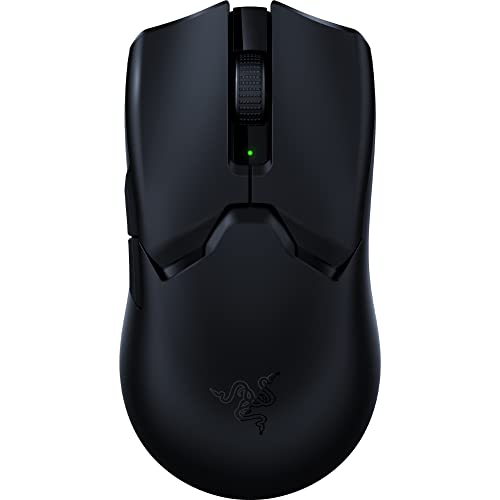
Razer Viper V2 Pro
Previous-generation flagship dropped into budget reach on sale. ~58 g, flagship internals, proven symmetrical shape - a real flagship, not a budget compromise.
The stretch pick: a previous-generation flagship that has dropped into reach. When it launched it was a top-tier ambidextrous wireless mouse; now that its successor is out, it routinely discounts well below release price. At roughly 58 grams with flagship internals and a proven symmetrical shape, it is a real flagship, not a budget compromise - the only catch is that “budget” here means “on sale.” Pay full flagship money and you’ve missed the point.
What Pros Use vs What You Should Buy
The usage table at the top is dominated by mice that cost $130–$180. That is real, but it does not mean cheap mice are bad - it means pros don’t pay for mice. Razer, Logitech, and the rest sponsor teams and hand players the current flagship for free, so a budget mouse never has a reason to appear in a pro’s setup.
The absence of cheap mice from the pro field is a fact about sponsorship economics, not about whether budget gear can compete.
So do not read the table as “buy expensive to play well.” Read it as “here is what free gear looks like.” The thing that carries over to you is the sensor: every mouse in that table runs the same class of optical sensor as the budget picks above.
You are buying the same aim. What you skip is the wireless polish, the few grams, and the 8 kHz ceiling - and at the budget tier, that is a reasonable trade, not a handicap.
Grip Style and Shape
Shape matters more than price, and the budget tier covers every common grip. There are three grips, and each wants a different shape:
| Grip | What it wants | Budget pick |
|---|---|---|
| Palm | Higher-hump ergonomic shape that fills the hand | DeathAdder V3 HyperSpeed |
| Claw | Medium ambidextrous shape | G305, Aerox 3 Wireless |
| Fingertip | Flat, light ambidextrous shape | Pulsefire Haste, Viper V2 Pro |
Buy for your hand first. A mouse that fits your grip at $35 will serve you better than a mismatched shape at $80 - the dataset can tell you what is proven, but only your grip tells you which proven shape is right for you.
Note that eDPI (your DPI multiplied by in-game sensitivity, the only number that compares fairly across DPI settings) is set the same on every mouse here; none of these picks limits how low or high you can run your sens.
Key Specs That Actually Matter Under $50
Most of a budget spec sheet is the same noise as a flagship’s. Four things move the needle:
- Sensor. Any current PixArt or HERO optical sensor is overkill-good for CS2. Every pick above clears this bar, so sensor is not a differentiator inside this list - don’t pay extra for a bigger DPI number.
- Weight. Under about 65 grams is the comfortable target. The honeycomb picks get there cheapest; the solid-shell picks are a touch heavier. Either is fine; lighter is a preference, not a requirement.
- Wireless. Worth it if your budget reaches the DeathAdder V3 HyperSpeed or Aerox 3. Not worth blowing the budget on - a great wired mouse beats a mediocre wireless one.
- Shape. The spec that decides comfort, and the one you should choose first. Match it to your grip using the table above.
What to Skip
Two things to actively avoid in the budget tier:
- High DPI marketing. A 26,000-DPI sensor changes nothing - pros run 400 to 800 DPI. Anything above 3200 is irrelevant, and a big number on the box is not a reason to choose one budget mouse over another.
- Unmarked generic brands. The sub-$20 tier is full of no-name mice with unspecified sensors and SKUs that churn every few months. There is no warranty story, no consistent shape, and no way to verify the sensor. Spend the extra $15 for a named pick above; the floor of the reputable tier is genuinely good, and the bottom of the unmarked tier is a gamble.
A Note on the Data
The usage table on this page is computed at build time from cs2pedia’s dataset of 1,000+ active pro profiles - the same database that powers the rest of the site. It is here as a contrast for budget buyers, and it is why we can say with confidence that the sensor in a $40 mouse matches the sensor in the mice pros actually run.
Budget mice are thin in that dataset by design - pros get flagships free - so the picks above are graded on value and shape DNA, not pro counts. Hardware changes between events, and the dataset is a snapshot rather than a live feed, so treat the exact ordering of the table as current-but-not-instant.
If you want to dig further: browse every mouse in the dataset on the mouse gear page or the full gear index, see the underlying usage stats, or check individual player profiles to see who runs what. When your budget grows, the best mouse for CS2 guide covers the premium field. And the rest of the setup matters too - pair your mouse with the right monitor and mousepad, and see the full setup guide to tie it together.
Affiliate disclosure: some links on this page are affiliate links, and a purchase may earn cs2pedia a commission at no extra cost to you. This does not influence which products appear or how they are ranked - the rankings reflect real pro usage data, full stop.