Best Mouse for CS2
The mice CS2 pros actually use, ranked by live usage data from cs2pedia's pro dataset - plus which one to buy for your grip, weight target, and budget.
In 2020 the CS pro mouse market belonged to ZOWIE - the EC and FK shapes were the default recommendation, and almost everyone you watched at a major was on one. That meta has flipped. Today Logitech leads the pro field, Razer sits close behind, and ZOWIE has fallen to a distant third.
The table below is computed live from cs2pedia’s dataset of pro profiles, so it reflects what the scene is on right now, not a frozen 2020 snapshot. The short version: the wireless superlight era arrived with CS2, and the brand order rearranged around it.
Why the Meta Shifted
For years the standard advice was “just use wired” - wireless added latency you could feel, so competitive players avoided it. That argument is dead. Between roughly 2019 and 2021, wireless latency dropped below the perception threshold: a modern flagship wireless mouse responds as fast as a wired one for any human reaction. Once that was true, the only remaining reasons to stay wired were habit and price.
At the same time, weight collapsed. Mice broke under 60 grams without resorting to honeycomb shells full of holes, and sensor quality reached a point where every current flagship is effectively perfect - there is no meaningful tracking difference between the top sensors anymore. When latency, weight, and sensor all stopped being differentiators, shape and ecosystem became the whole game.
That is where ZOWIE lost ground. Its appeal was always driverless simplicity: plug it in, no software, change settings with buttons on the bottom. That is still a real advantage for some players, and it kept ZOWIE relevant.
But Logitech and Razer pushed lighter shapes, true wireless, and 8 kHz polling ecosystems (polling rate is how many times per second the mouse reports its position; 1000 Hz is the long-standing baseline, 8000 Hz is the new premium tier). The pro field followed the lighter, wireless options, and the usage table above is the result.
The Best Mouse for CS2 (Our Picks)
These picks are ordered by pro usage in our dataset - the more pros on a mouse, the higher it sits here. Every one is a current, purchasable model; nothing on this list is discontinued. Where a pick has a clean retail page we link it directly; where it doesn’t, we say so and frame it as an editorial recommendation rather than pushing a dead-end “buy” button.
Logitech G Pro X Superlight 2
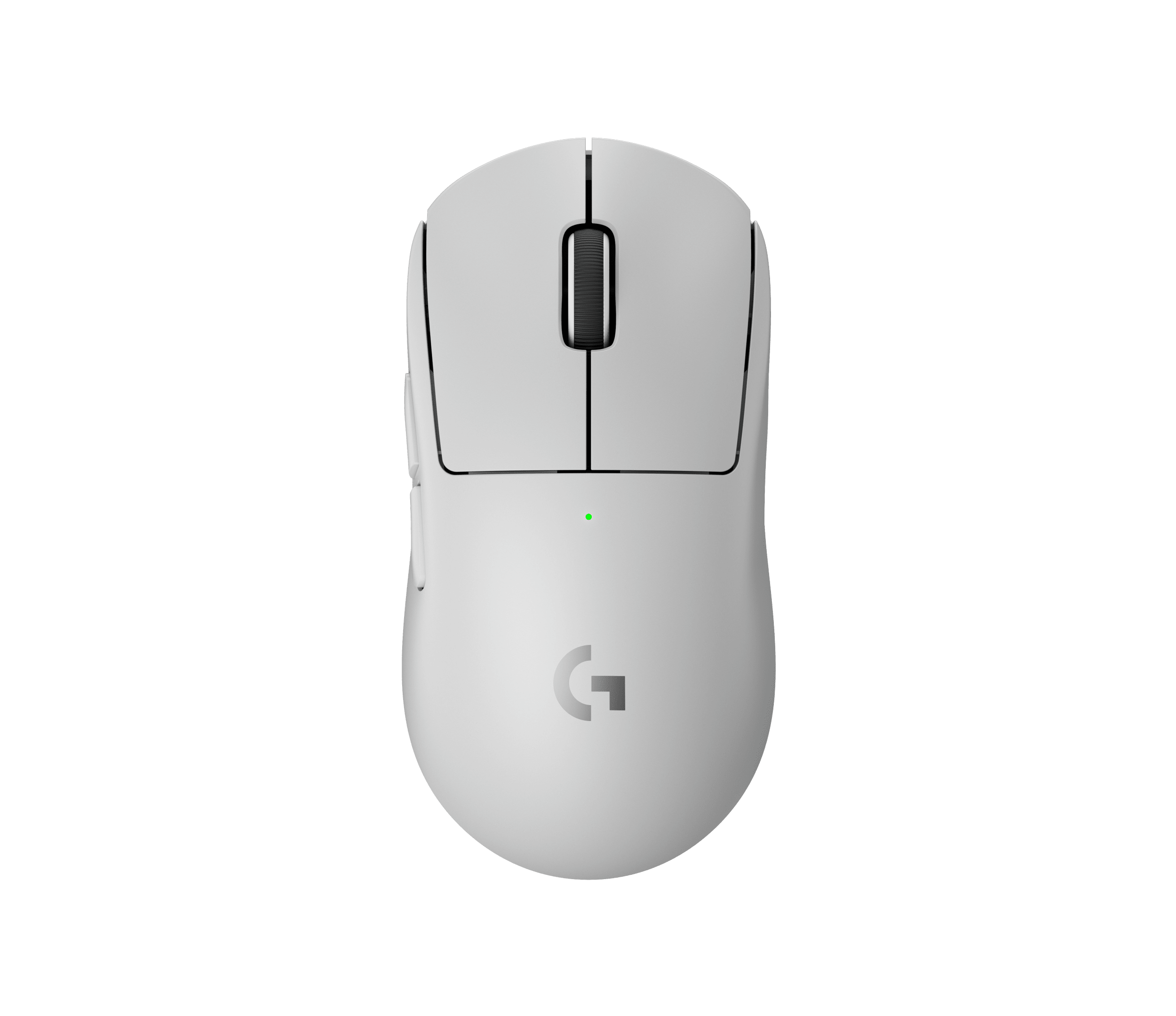
Logitech G Pro X Superlight 2
The single most-used mouse in CS2. 60 g, 8 kHz wireless, Hero 2 sensor - palm and relaxed claw. No overthinking required.
The single most-used mouse in CS2, and the no-overthinking default. At 60 grams with an 8 kHz wireless link and Logitech’s Hero 2 sensor, it suits palm grip and relaxed claw equally well. It is the most-used mouse in the table above by a wide margin - if you want the safest possible choice and don’t want to agonize over shape, this is it.
Razer Viper V3 Pro
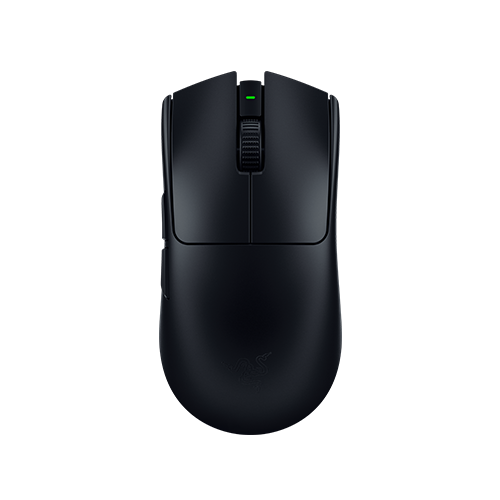
Razer Viper V3 Pro
54 g ambidextrous shape - lighter than the Superlight 2. The symmetrical benchmark for claw and fingertip grippers.
The number-two mouse by pro count and the symmetrical-shape benchmark. At 54 grams it is lighter than the Superlight 2, with an ambidextrous shape that claw and fingertip grippers tend to prefer. It runs the same 8 kHz wireless tier as the Logitech.
Razer also sells an official CS2 Edition of this exact mouse if you want the brand-loyal version. For players choosing on shape rather than habit, the Razer Viper V3 Pro is the one to compare the Superlight against.
Logitech G Pro X Superlight (original)
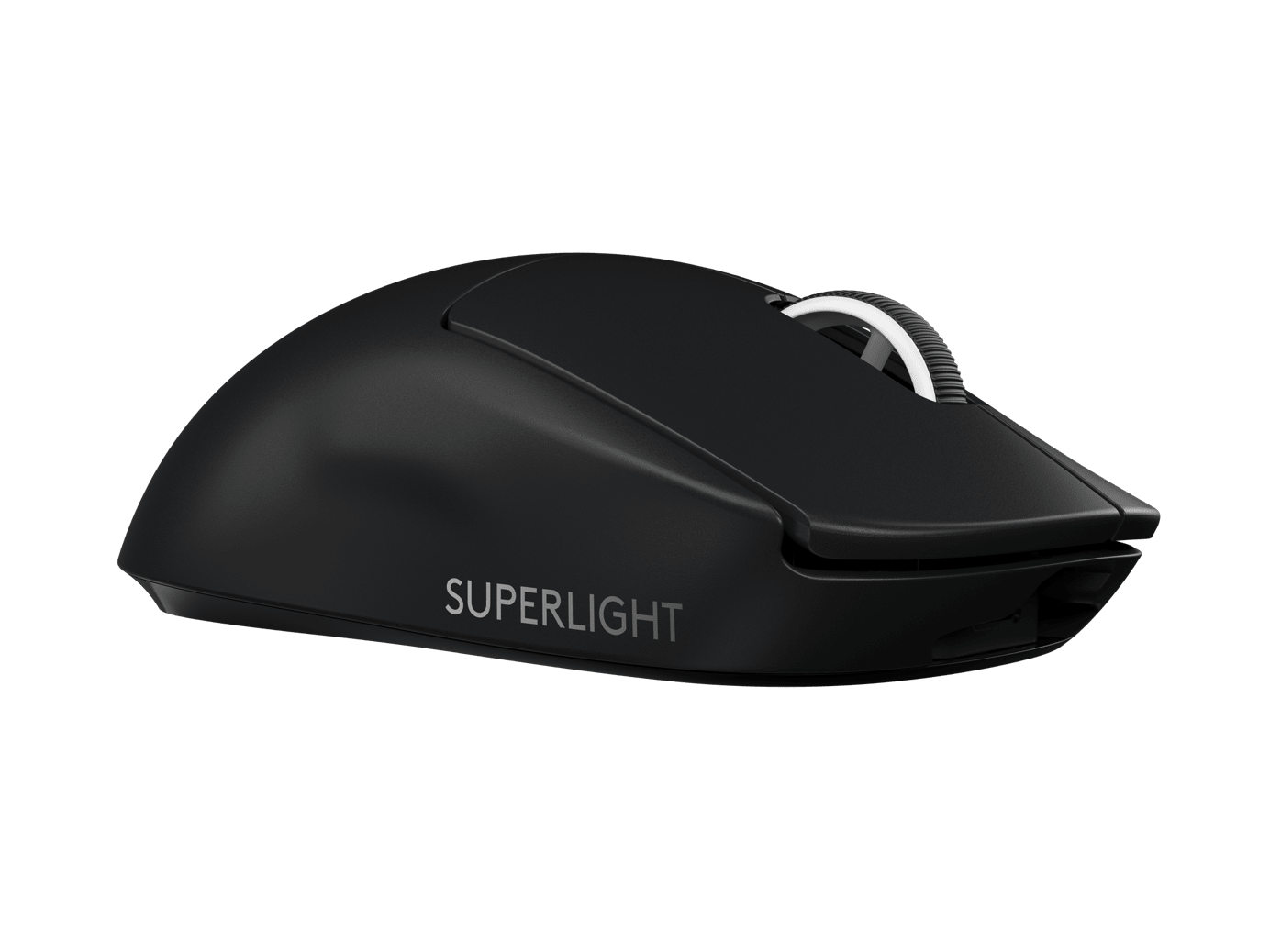
Logitech G Pro X Superlight
Same proven Superlight shape as the v2. Now cheaper since the v2 launched - 95% of the mouse for less.
Still one of the most-used mice in the pro field, even with its successor out. The original Superlight is the same proven shape as the v2 - the differences are the sensor generation and the polling ceiling, neither of which most players will notice in-game. Now that the v2 exists, the original has dropped in price, which makes it the best value route into the Superlight shape.
Razer DeathAdder V4 Pro
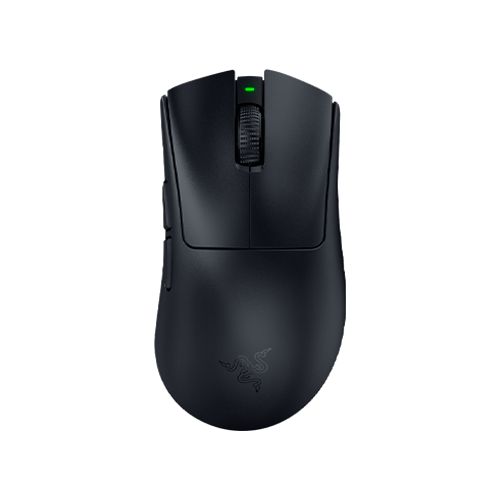
Razer DeathAdder V4 Pro
56 g right-handed ergonomic shape with ~150 hr battery. The modern answer to the old ZOWIE EC lineage.
The closest current mouse to the old ZOWIE EC comfort lineage, and the pick for palm-grip players. It is a 56-gram right-handed ergonomic shape with a high hump that fills the palm, plus roughly 150 hours of battery - a genuinely long-lived wireless mouse. It holds a solid share of the pro field in the table above, which is notable for an ergonomic shape in a market that has drifted toward ambidextrous designs.
Logitech G Pro X2 SUPERSTRIKE
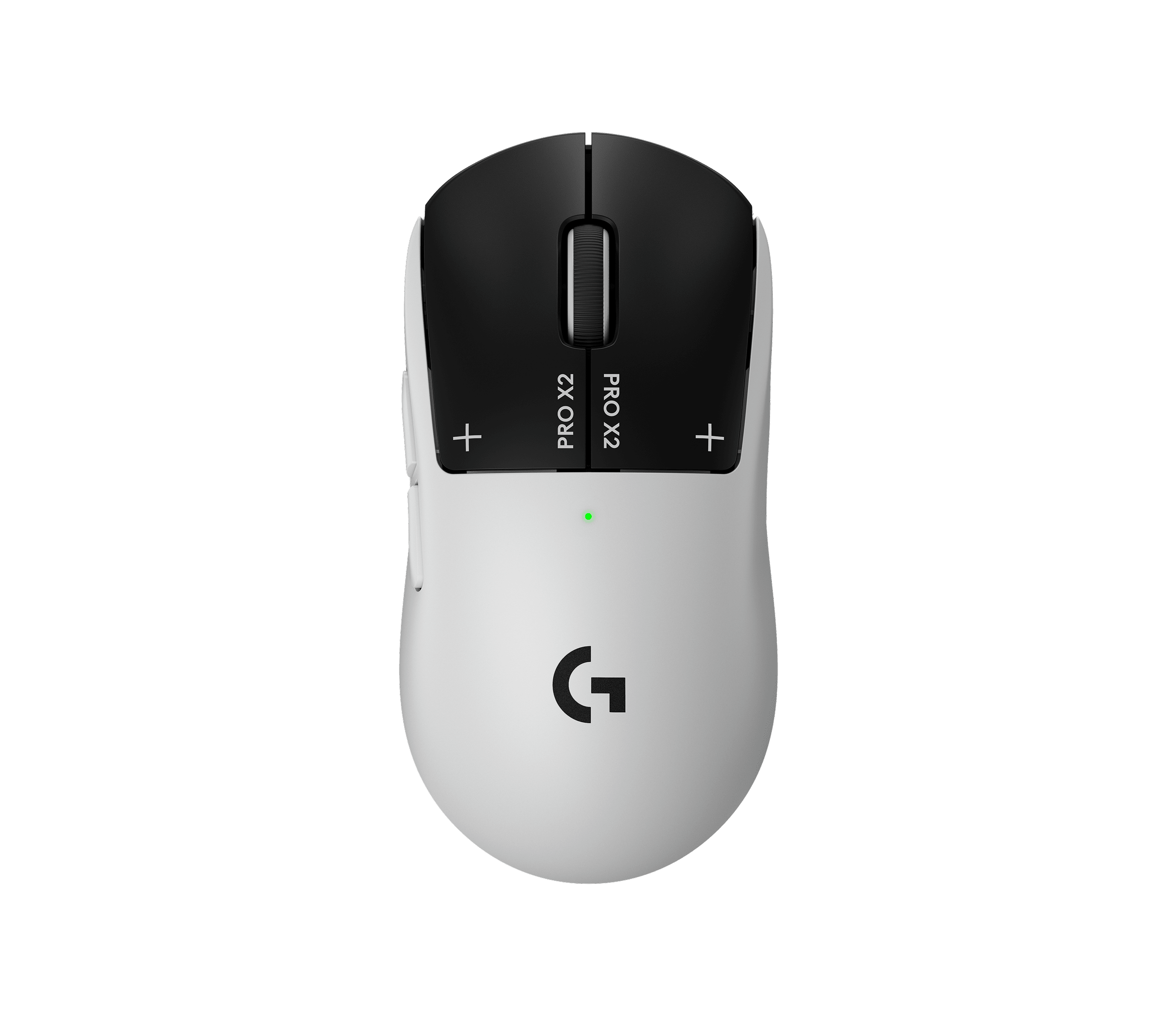
Logitech G Pro X2 SUPERSTRIKE
Haptic inductive switches with adjustable actuation. A premium novelty - worth it only if the switch mechanic specifically appeals to you.
A premium novelty more than a default recommendation. Its headline feature is haptic inductive switches with adjustable actuation - the click is generated electronically rather than by a mechanical switch, and you can tune how far you press before it registers. It carries a modest but real slice of pro usage, well below the top picks - interesting if you specifically want the haptic switches, otherwise the cheaper picks above outperform it on value.
ZOWIE EC2-CW
ZOWIE EC2-CW
Classic EC ergonomic shape gone wireless, fully driverless. The only top-tier mouse with zero software footprint.
The pick for players who refuse software. The EC2-CW brings the classic EC ergonomic shape into a wireless body, fully driverless - plug it in, set DPI and polling from the buttons underneath, no client to install. It holds a smaller but committed share of the pro field - the one current top-tier mouse you can run with zero software footprint.
What Pros Use vs What You Should Buy
Pro mouse choices are partly sponsor-influenced. Razer, Logitech, and ZOWIE all run pro teams, so a player’s mouse is sometimes a contract detail as much as a free preference. That is the honest caveat behind any “what pros use” list - including ours.
The thing that protects you is the count. The top three mice in the table above are used by so many pros, across so many different orgs and sponsors, that no single sponsorship explains their dominance - they win on merit. So the safe read is simple: if you buy any of the top three, you are buying gear validated by a large, sponsor-diverse chunk of the pro field.
Past that, buy for your hand, not the leaderboard. A strong ergonomic preference points you to the DeathAdder V4 Pro or the EC2-CW. A preference for flat, ambidextrous shapes points you to the Viper V3 Pro or a Superlight. The dataset tells you what is proven; your grip tells you which proven option is right for you.
Grip Style and Shape
Grip is the single biggest factor in which shape fits you, and it overrides almost everything else on the spec sheet. There are three common grips, and each wants a different shape:
| Grip | What it wants | Picks |
|---|---|---|
| Palm | Higher-hump ergonomic shape that fills the hand | DeathAdder V4 Pro, ZOWIE EC2-CW |
| Claw | Medium ambidextrous shape | Viper V3 Pro, G Pro X Superlight 2 |
| Fingertip | Flat, light ambidextrous shape | Viper V3 Pro |
Most CS2 pros use claw or fingertip, which is a large part of why the ambidextrous shapes dominate the usage table - the field’s grip preferences and the brand-share numbers are the same story told twice. If you palm-grip, don’t fight the data; buy the ergonomic shape that fits and ignore the fact that fewer pros are on it.
Key Specs That Actually Matter
Most of a mouse spec sheet is noise for CS2. Four things actually move the needle:
- Weight. This is where most pros land under 60–65 grams. Lighter is easier to flick and easier to control on micro-corrections; past a certain point it is preference, but heavy mice are simply out of fashion in competitive play for a reason.
- Polling rate. 1000 Hz is the baseline and is completely fine. 8 kHz is the premium tier and the benefit is marginal - nice to have, not a reason to choose one mouse over another.
- Sensor. Any 2022-or-later flagship sensor is overkill-good. There is no tracking difference you will feel between the top picks here, so don’t let sensor marketing decide your purchase.
- Wireless. Now the default. The latency concern that justified wired in 2018 is resolved on every current flagship, so wireless vs wired is a convenience-and-budget call, not a performance one.
What to Skip
A few specs are pure marketing for competitive CS2, and chasing them wastes money:
- High DPI. Anything above 3200 is irrelevant - pros run 400 to 800 DPI and use eDPI (DPI multiplied by in-game sensitivity, the only number that compares fairly across different DPI settings) in a low, consistent range. A 26,000-DPI sensor changes nothing about how you actually play.
- RGB. Lighting has zero effect on performance and adds weight and battery drain. Ignore it.
- On-the-fly DPI buttons. A leftover from an older era. You set your sensitivity once and never touch it; a dedicated DPI button is a non-feature for CS2.
- Heavy mice. Anything over 80 grams is working against you for competitive play. The whole field has moved light for a reason.
A Note on the Data
These rankings reflect real pro usage, computed at build time from cs2pedia’s dataset of 1,000+ active pro profiles. That is the whole point of this guide: the numbers are live and sourced from the same database that powers the rest of the site, not a hand-typed list that goes stale the moment a player switches gear. Hardware changes between events, though, and the dataset is a snapshot rather than a live feed - so treat the exact ordering as current-but-not-instant.
If you want to dig further: browse every mouse in the dataset on the mouse gear page or the full gear index, see the underlying usage stats, or check individual player profiles to see exactly who runs what. The rest of the setup matters too - pair your mouse with the right keyboard, monitor, and mousepad, and see the full setup guide to tie it together. The mouse is the bigger raw-aim lever, but it isn’t the only one that counts.
Affiliate disclosure: some links on this page are affiliate links, and a purchase may earn cs2pedia a commission at no extra cost to you. This does not influence which products appear or how they are ranked - the rankings reflect real pro usage data, full stop.